GeoCat Find 2026.0
GeoCat is pleased to present our latest distribution of GeoCat Find 2026.0.
To migrate from earlier versions, see the Upgrade guide.
Overview
GeoCat Find is an outstanding catalog application providing record publishing and search capabilities to share information. Built to support international open standards GeoNetwork offers metadata editing and management with a focus on geospatial content.
GeoCat Find 2026.0 is a recommended upgrade for all our customers and compatible with GeoCat Bridge for both ArcGIS Desktop and QGIS Desktop.
GeoCat Find Plugin repository
GeoCat Find is provided as a base package which can be extended with plugins. Plugins have an independent lifecycle. Each plugin advertises its compatibility with relevant GeoNetwork versions.
Plugins are available via the plugin repository.
Documentation on how to install the plugin is available in the plugin.
GeoCat Find Documentation
Enterprise documentation is now available at https://docs.geocat.net/find/2026
GeoNetwork Technology
GeoCat Find 2026.0 is based on GeoNetwork opensource 4.4.x. This version of GeoNetwork changed the search engine to use ElasticSearch. See how to Install and Configure Elasticsearch.
This section describes the main changes in this new version.
User interface
- Metadata delete dialog / ask for confirmation when deleting metadata records.
Metadata
-
Export to DCAT-AP 3.0 format(s) for ISO19139 / ISO19115.3-2018 metadata records: EU-DCAT-AP, EU-GeoDCAT-AP, DCAT-AP Mobility, DCAT-AP HVD.
-
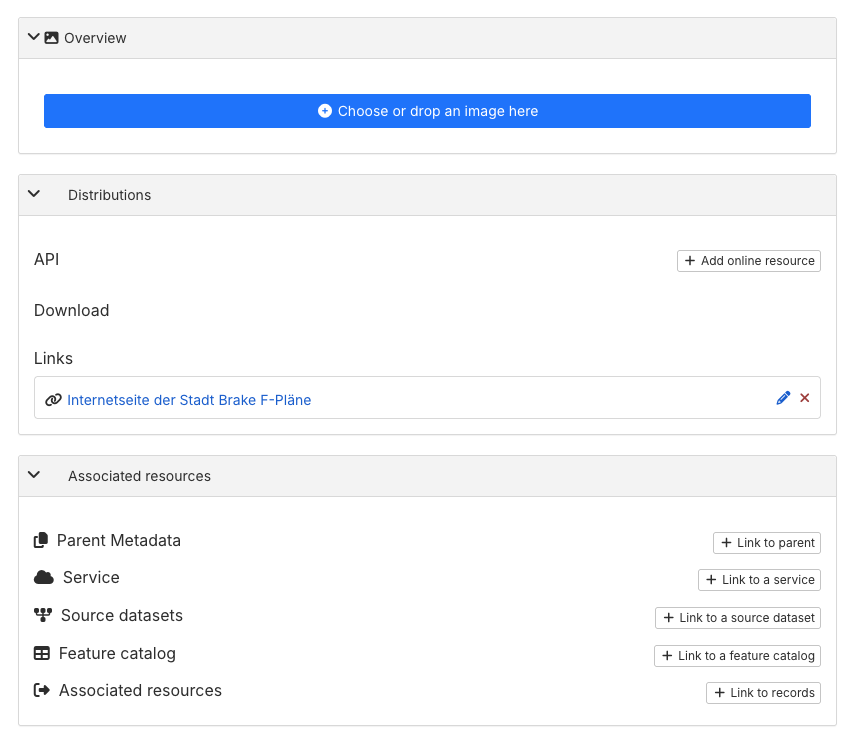
Metadata editor / A more user-friendly interface to manage separately metadata distributions, overviews, and associated resources. In previous versions all these resources were managed in the same section of the metadata editor, which could be confusing for users. Now the metadata editor provides separate sections for each type of resource, with specific fields and options to manage them.
-
Overview: small images that provide a visual representation of the data or dataset described in the metadata record. Thumbnails help users quickly identify and understand the content of the metadata.
-
Distributions: files or services that provide access to the data described in the metadata record. These can include download links, web services, or other means of obtaining the data.
-
Associated resources: other metadata records related to the metadata record, such as related datasets, services.
-
Metadata editor / Improve the WMS resource configuration to use the WMS layer name / title as the online resource name / description.
-
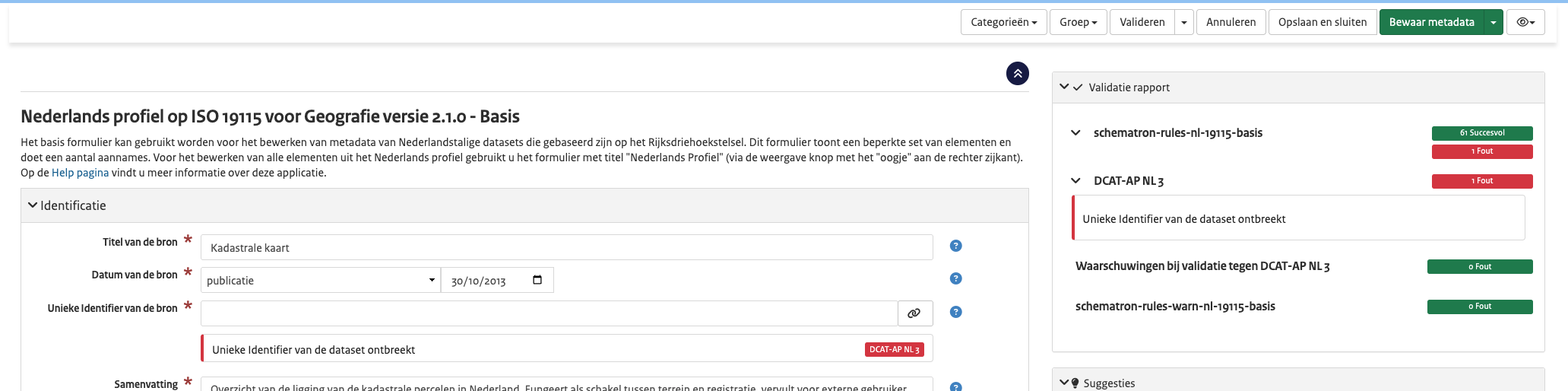
Metadata editor / Update the validation report to display failing checks for optional validation rules as warnings instead of errors. This change helps users to better understand the validation results and focus on the most critical issues that need to be addressed.

-
Metadata editor / Support attachments greater than 2GB.
-
Metadata MEF export / limit zip export resources size and option to exclude attachments.
-
Record page / Add scrollable dropdown for the WFS format selection menu.
-
Record page / Update metadata full view page to use the configuration from
labels.xmlto display the labels for the metadata fields. This change allows to use context information with xpath fromlabels.xmlto provide more meaningful and user friendly labels for the metadata fields. -
Support to resume downloads of metadata attachments. In previous versions metadata attachment downloads cannot be resumed. For large files this may be problematic if the download is interrupted due to network issues or other problems, the download must be restarted from the beginning.
Metadata Dutch dataset / services schemas
-
DCAT-AP NL 3.0 support: GeoCat Find 2026.0 includes support to export for the ISO Dutch metadata to DCAT-AP NL 3.0 profile.
-
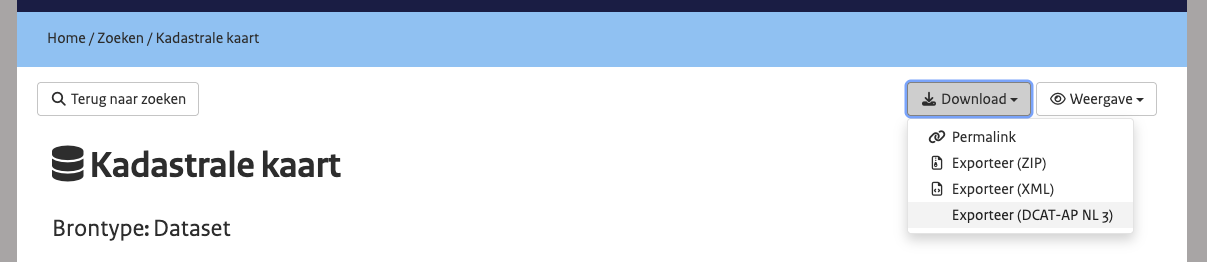
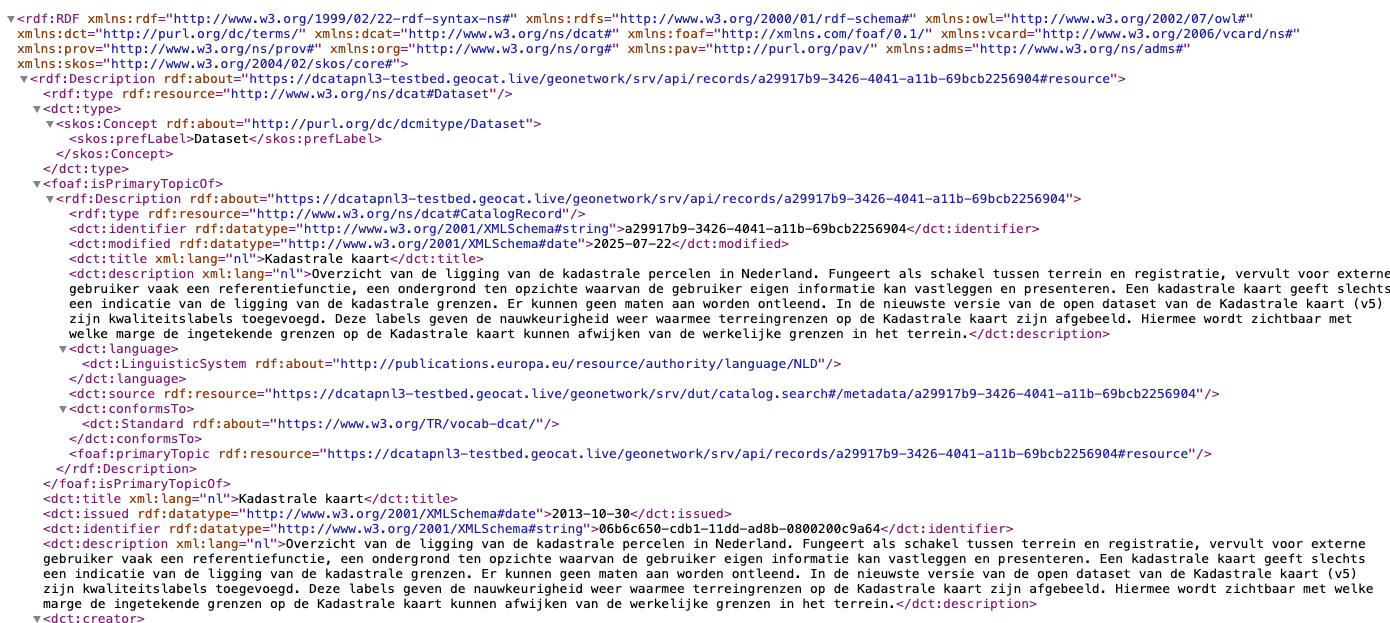
Export dataset and service metadata to DCAT-AP NL 3.0 RDF/XML format.
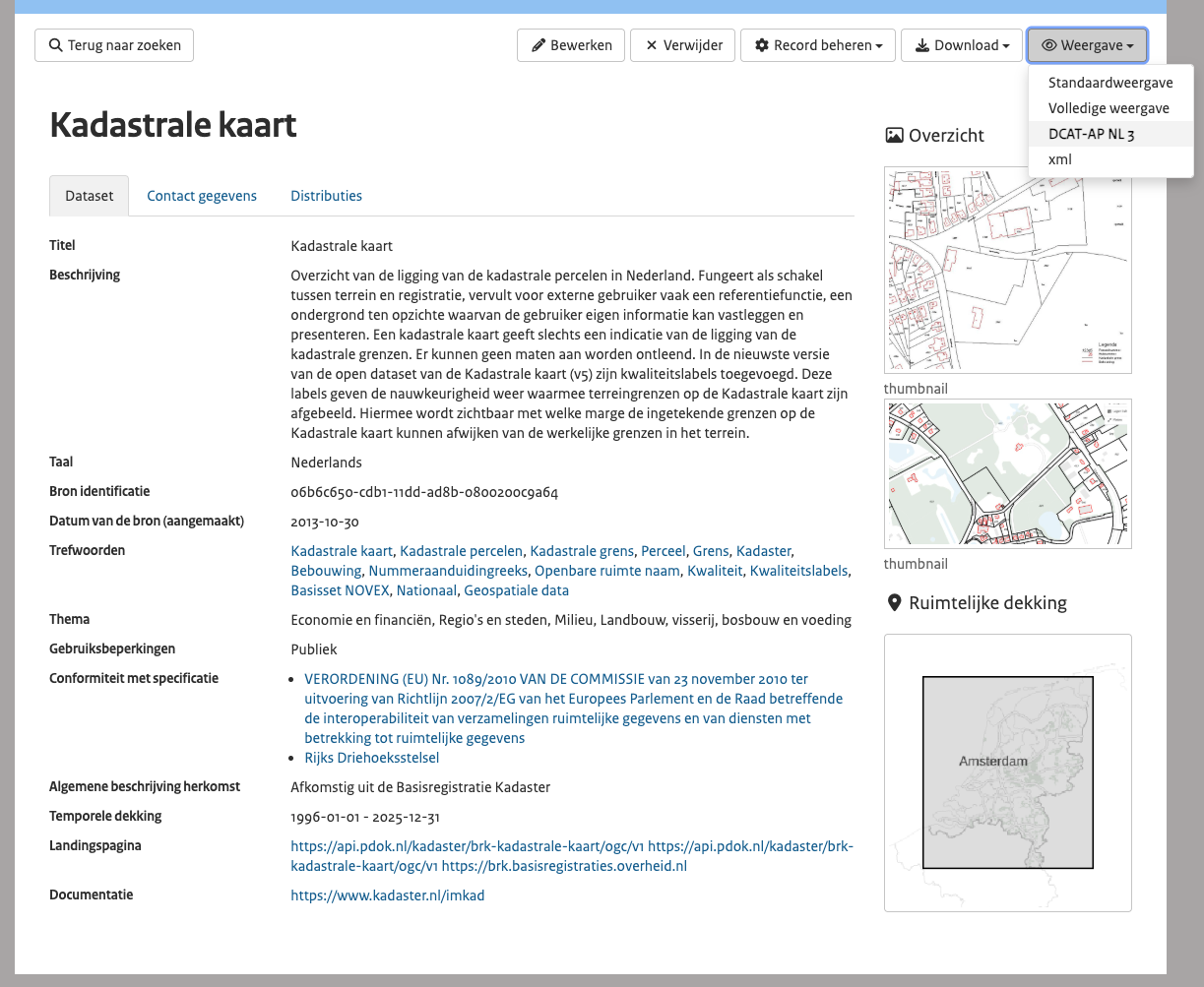
- From the metadata view page, use the export menu to select the DCAT-AP NL 3.0 format.
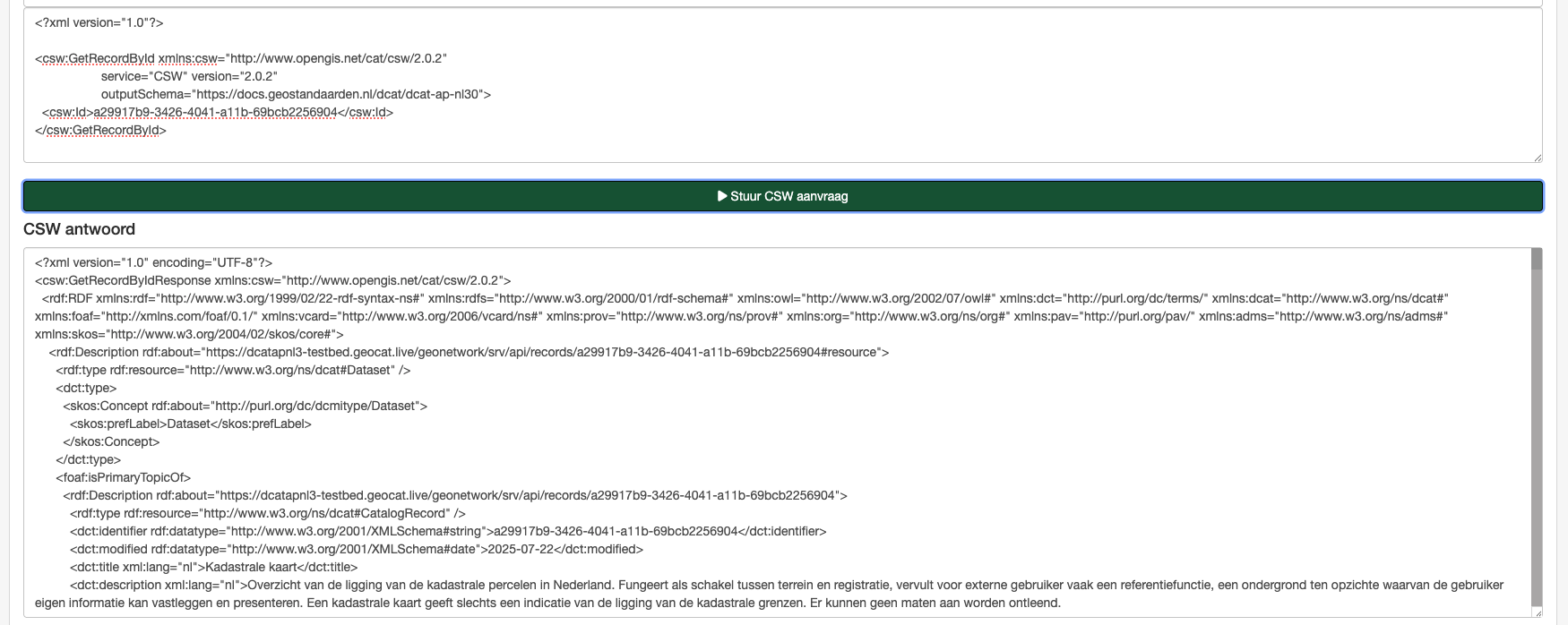
- From OGC:CSW service
GetRecordsorGetRecordById, using output schemahttps://docs.geostandaarden.nl/dcat/dcat-ap-nl30to retrieve metadata in DCAT-AP NL 3.0 format.
-
Metadata view with the DCAT-AP NL 3.0 information mapped from the ISO metadata.
-
Metadata editor validation rules for dataset and service metadata to validate the ISO required fields for DCAT-AP NL 3.0.
Administration
-
Add support for API Key in Simple URL and CSW harvesters.
-
Add support for reindexing all metadata of a harvester.
-
Add support for group types:
- Workspace groups allow owning metadata records.
- Record privilege groups are used for granting permissions on specific records but cannot own metadata.
-
System privilege groups are for system permissions only; they cannot own metadata or be assigned privileges for specific records.
-
New harvesters:
-
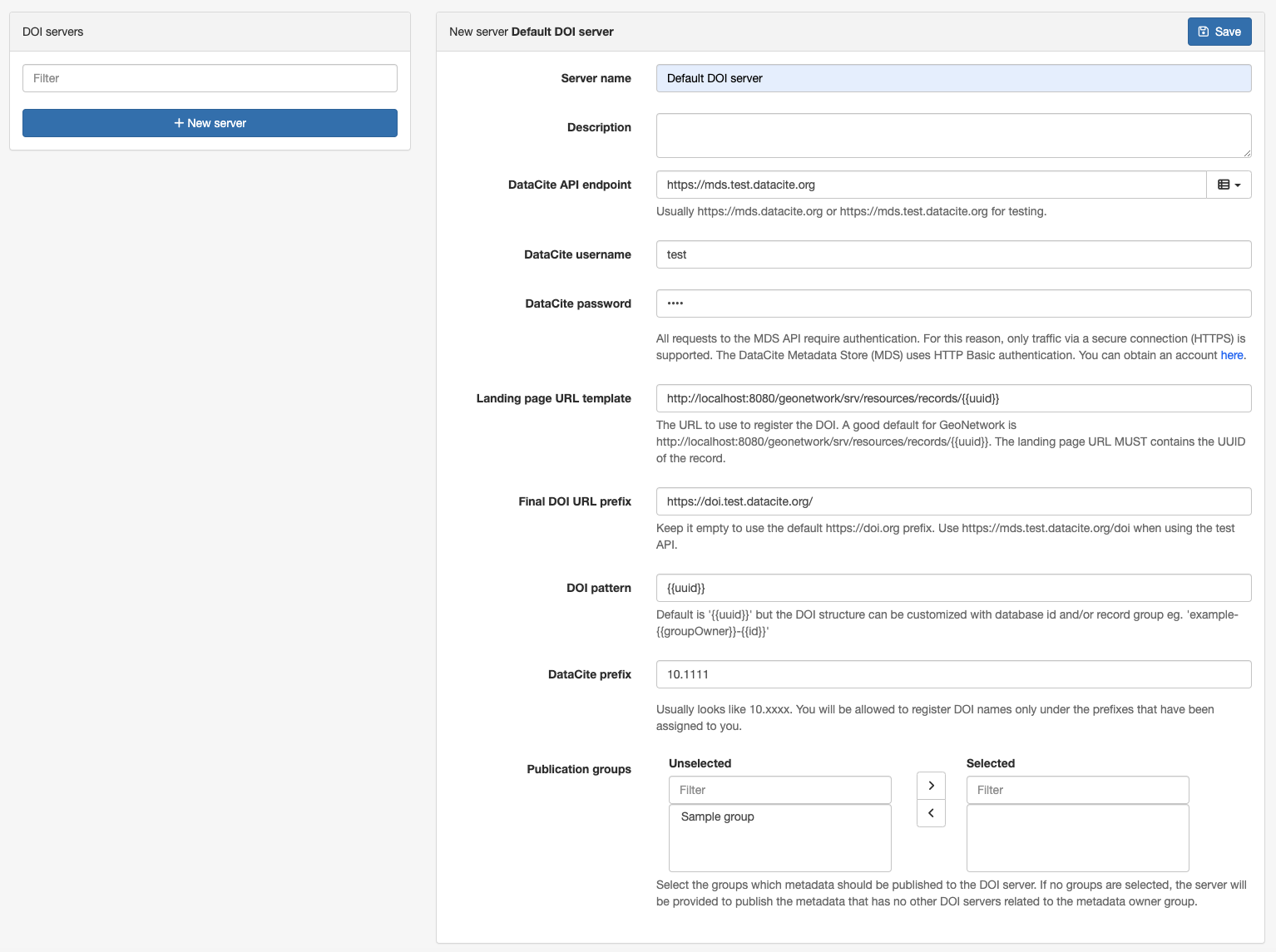
Support multiple DOI publication servers. This change allows configuring multiple DOI publications servers, and assign a specific DOI server to group(s)
-
Thesaurus formats support improvements:
-
Add support for codelist described using SDMX format.
- Add support for thesaurus described using OWL format.
- Improve support of EU publication office SKOS format.
-
Create a thesaurus from a shapefile.
-
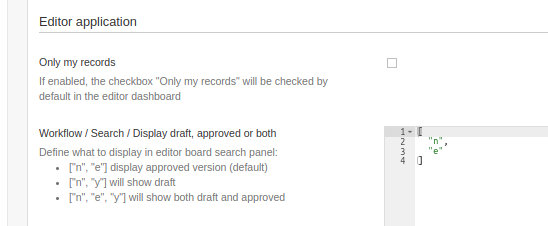
User interface setting for the search configuration in the Editor board to display in the search results, when the metadata workflow is enabled:
- approved records (default)
- working copies,
- or both versions.
When using the metadata workflow, if a published and approved record is edited, a working copy is created. Users may have difficulties to find the corresponding working copies because the searches show the approved records with a link to the copies but does not search directly for working copies.
API and automation
-
CSV API / This updated API allows to export metadata information to CSV format, selecting the fields to include in the export:
-
Allows to define the fields to export, using their XPATH expressions.
- Allows to extract information from contacts, online resources, and other repeatable fields.
- Allows to customise the column separator character and the separator for fields with multiple values.
See API examples at https://github.com/geonetwork/core-geonetwork/pull/7132
-
OAI-PMH was removed when the catalog switched to Elasticsearch as the search engine. This new version reintroduces the OAI-PMH server.
-
Selection API / Make user identifier optional.
Other
-
Add logging configuration for JSON log output.
-
Audit user information changes. The audit log now records changes to user information, such as username, email, and profile updates. This enhancement improves the tracking of user activities and changes within the system.
-
Configuration in
config.propertiesto support integration with Matomo and Google Analytics services. Example configuration to integrate with Matomo:
# Analytics service: (empty value: no analytics),matomo,google
analytics.web.service=matomo
# Analytics javascript code to integrate with the analytics service (lines must be ended with \n\)
analytics.web.jscode=var _paq = _paq || [];_paq.push(['trackPageView']);_paq.push(['enableLinkTracking']);(function() {var u="//localhost/";_paq.push(['setTrackerUrl', u+'piwik.php']);_paq.push(['setSiteId', '1']);var d=document, g=d.createElement('script'), s=d.getElementsByTagName('script')[0];g.type='text/javascript'; g.async=true; g.defer=true; g.src=u+'piwik.js'; s.parentNode.insertBefore(g,s);})();var currentUrl = location.href; \
window.addEventListener('hashchange', function() {_paq.push(['setReferrerUrl', currentUrl]);currentUrl = window.location.hash.substr(1);_paq.push(['setCustomUrl', currentUrl]);_paq.push(['setDocumentTitle', currentUrl]);_paq.push(['deleteCustomVariables', 'page']);_paq.push(['trackPageView']);var content = document.getElementsByTagName('body')[0];_paq.push(['MediaAnalytics::scanForMedia', content]);_paq.push(['FormAnalytics::scanForForms', content]);_paq.push(['trackContentImpressionsWithinNode', content]);_paq.push(['enableLinkTracking']);});
- Upgrade to ElasticSearch 8.19.13.
- Upgrade to GeoTools 32.2.
- Upgrade to JVM 11.
- Upgrade to Mapfish print 2.3.5.
- Upgrade to OpenLayers to 10.8.0.
- Upgrade to Spring Framework 5.3.39.
- Upgrade to Spring Security 5.8.16.