Install the plugin
To add the plugin to GeoCat Find:
- Stop the application
- Download the latest patch version of the plugin from our Nexus repository. If you run a GeoCat Find 2026.1, download the latest patch version related, for example
gne-2026.1-ckan-push.zip. - Unzip the package.
- Copy all the jar files provided to
$CATALINA_BASE/webapps/geonetwork/WEB-INF/lib. - Restart GeoCat Find.
- Configure the plugin. See next section.
Configuration
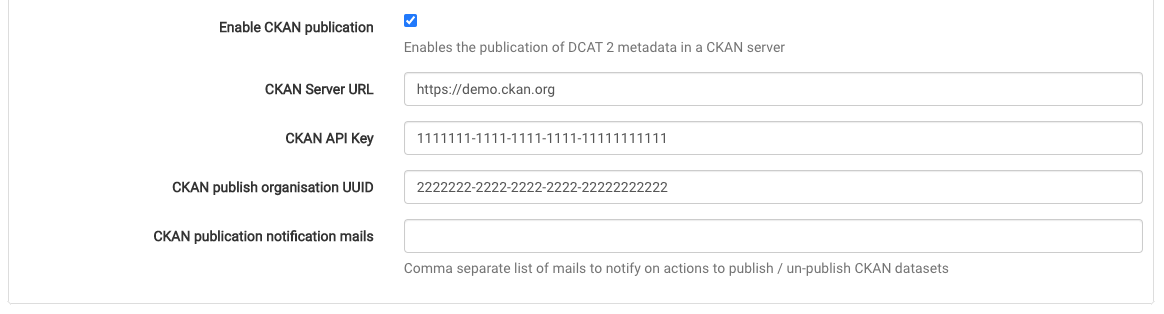
You first have to go to Admin ❯ Settings ❯ Publication and enable the CKAN publication to activate this feature, configuring the following fields:
CKAN Server URL: CKAN endpoint to connect to the CKAN server to publish the metadata.CKAN API Key: CKAN API Key to connect to the CKAN server.CKAN publish organisation UUID: Identifier of the organization that owns the metadata.CKAN publication notification mailsis a comma separated list of email addresses to notify about actions to publish / unpublish CKAN datasets.