Editions & licensing
GeoCat Bridge comes in two flavors: the Community Edition, which is free to use for everyone, and the Licensed Edition, which you unlock with a license.
You can obtain a free copy of GeoCat Bridge from the GeoCat software repository.
No trial license required
In contrast to the old GeoCat Bridge for ArcMap, the Community Edition does not require a trial license.
In fact, GeoCat BV does not even offer trial licenses for GeoCat Bridge for ArcGIS Pro anymore.
Community Edition
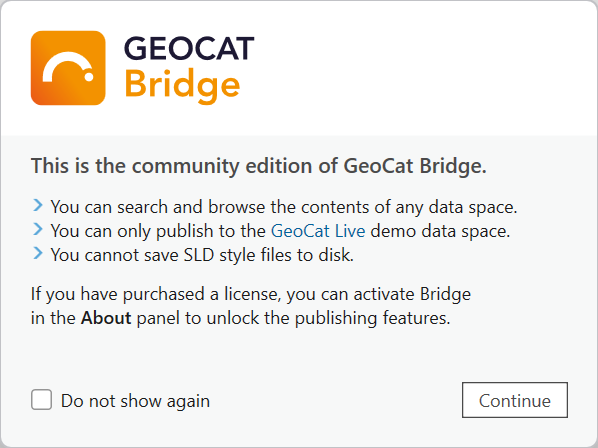
Until you activate it, Bridge runs in Community Edition mode, which it will also show you at startup.
This free version allows you to do the following:
Search
- Search any spatial data catalog (GeoNetwork, CSW, OGC API - Records).
- Add search results to your map project (e.g. WMS or WFS layers), or download datasets (from WCS or WFS formats).
- Add and remove search-only data spaces.
Publish
- Publish maps and individual layers (including their metadata) to the demo data space.
- Create workspaces and layer groups in the demo data space.
- Assign published layers to layer groups in the demo data space.
- Preview generated SLD styles from ArcGIS Pro layers.
- Add and configure your own data spaces. Even though you cannot publish to them, it may be useful to see what can be configured. If you decide to purchase a license, these data spaces instantly become fully functional after activation.
- View the contents of GeoServer workspaces (layers, layer groups, and styles) in any data space.
- Add GeoServer WMS layers and layer groups from any data space to your map.
Demo data space
The Community Edition of GeoCat Bridge comes with a pre-configured data space called GeoCat Live Demo. This hosted GeoCat Live connection is provided to you for free by GeoCat BV, and may be used to try out the publishing features of GeoCat Bridge.
Important
- The GeoCat Live Demo data space is public. The map layers and metadata are accessible to anyone who knows the URL.
- As a result, do not publish sensitive (meta)data to the demo data space.
- The demo data space is erased and restarted each night (around 4:00 AM CEST).
All data that you published will be lost. - Do not publish large datasets to the demo data space, as this may slow down the service for other users. The maximum size of a single dataset (e.g. GeoPackage) is 25MB.
- You may see workspaces from other users in the demo data space. Although you cannot delete any workspaces, please do not publish to other users' workspaces, as this may interfere with their work.
- The
geocatworkspace is the default GeoServer workspace, which will be recreated after a nightly reset. - Some features of the service have been disabled. You cannot access the GeoServer admin UI, for example.
That said, we hope you enjoy your publishing experience with GeoCat Bridge!
If you encounter any issues, or feel that some things could be improved (e.g. an SLD style conversion),
please contact support.
Legal notes
- GeoCat BV does not keep backups of your data, and is not responsible for any data loss.
- GeoCat BV does not process or analyze your data, other than for debugging purposes (e.g. if it caused the service to crash).
Licensed Edition
The full Licensed Edition of GeoCat Bridge includes all the features of Community Edition, but it will also allow you to:
- Publish maps or layers (and their metadata) to your own data spaces.
- Remove or create GeoServer workspaces in your own data spaces.
- Remove layers or styles and organize layer groups in your own data spaces.
- Save generated style files (SLD) to disk.
To unlock these features, you need to acquire a license:
- GeoCat Live or enterprise customers may use the full GeoCat Bridge as part of their subscription plan, and can contact us (login required) if they wish to activate their complimentary licenses.
- Standalone users can purchase a subscription on the GeoCat website or contact sales. A subscription entitles you to customer support and allows you to influence and/or prioritize GeoCat Bridge development.
Once you have a license, activate Bridge and start publishing!