WMS GetFeatureInfo Template
When using a WMS client such as OpenLayers, Leaflet or MapViewer the WMS protocol support the GetFeatureInfo operation for interaction; allowing feedback when a rendered feature is clicked on. This same facility is used by Desktop GIS software when interacting with a WMS Layer.
Reference:
Template Example
Clients can request the raw feature data (as JSON, GML or CSV content) or as a text/html page which is often displayed as info panel or pop-up.
-
To produce the
text/htmlpage three templates are combined:header.ftlcontent.ftlfooter.ftl
-
To customize the content for the
neworkspace use the web resource browser to create:workspaces/ne/content.ftlWith the following content.ftl template:
content.ftl<#list features as feature> <span style="color: #303030;font-family:ariel; font-size:14px"> ${feature.type.title}: <#list feature.attributes as attribute> <#if attribute.name == "NAME"> ${attribute.value} </#if> </#list> </span> <hr> <div style="overflow: hidden;"> <table > <#list feature.attributes as attribute> <#if !attribute.isGeometry> <tr > <td valign=top style="padding-bottom:3px;word-wrap:break-word;max-width:100px;color:#808080;font-family:ariel; font-size:14px">${attribute.name}</td> <td valign=top style="word-wrap:break-word; max-width:300px;color:#303030;font-family:ariel; font-size:14px">${attribute.value}</td> </tr> </#if> </#list> </table> </div> </#list> -
The template uses:
- Layer title
- The feature label attribute (based on naming convention for the natural earth dataset).
- List of attribute names and values
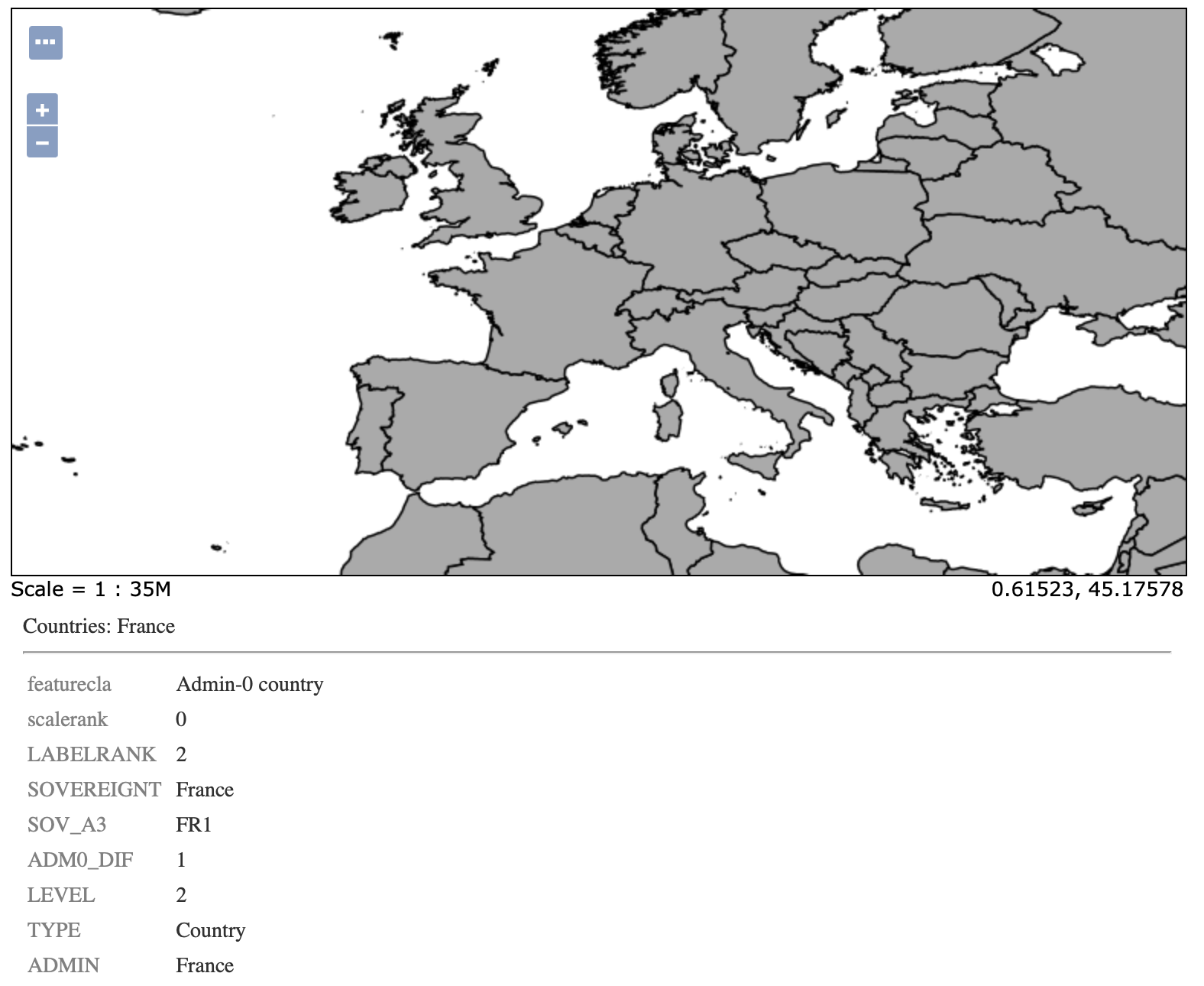 Natural Earth GetFeature Info