Configure disk quota for tile storage
By default, Geoserver can use as much space as needed to store cached tiles. This can cause issues, and it's recommended to set a limit to the amount of disk space that tiles can use.
Follow these steps to set a disk quota:
-
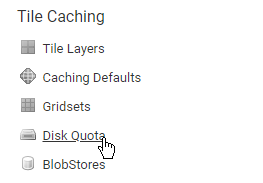
From the main page of the Geoserver web interface, click on the Disk Quota link.
-
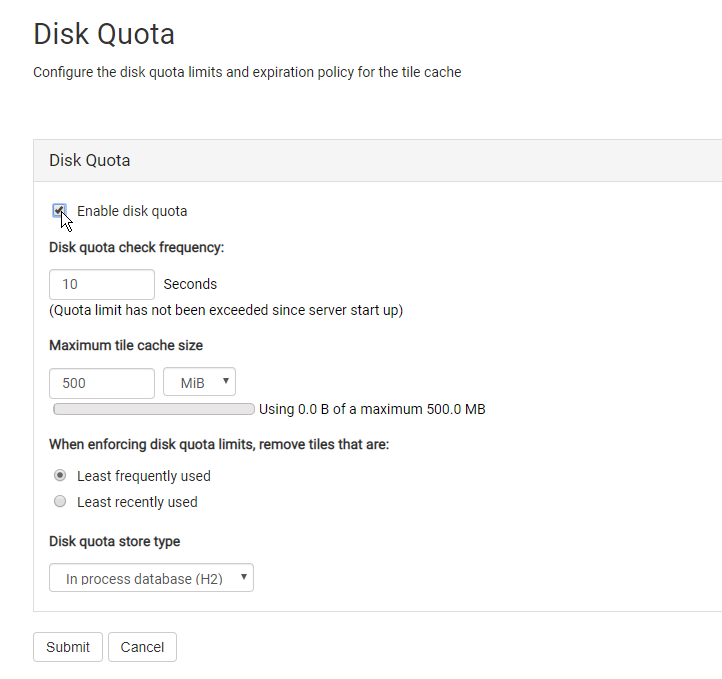
Check the Enable disk quota check box.
-
The default space allocated for cached tiles is 500 MiB. If you want to set a different size, enter it in the Maximum tile cache size box.
-
Click the Submit button to save your changes.