Configure WPS permissions
WPS processes have permissions that can be configured individually for each process. Since there are processes that allow to import data layers into GeoServer, those should be correctly configured, so they can only be used by users with admin privileges.
Two processes are to be edited: gs:Import and gs:StoreCoverage.
Follow these steps to restrict the access to those processes:
-
From the main page of the Geoserver web interface, click on the WPS Security link.
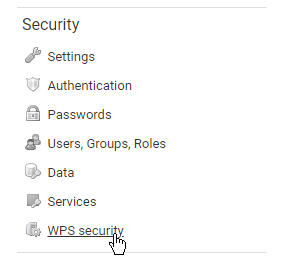
-
The
gs:importprocess is part of thegsgroup. Find the line corresponding to that group and click on the Manage link on its right-hand side.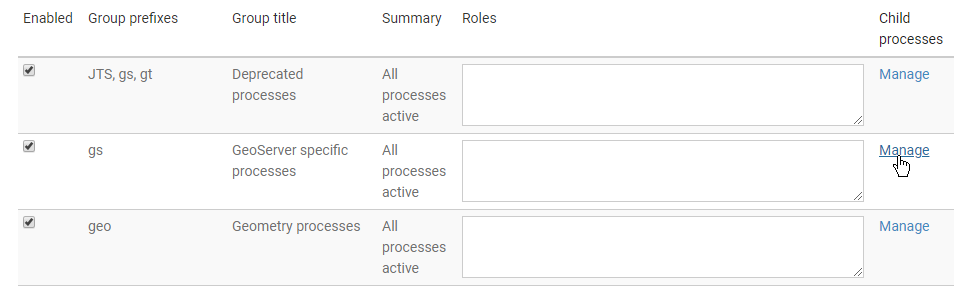
-
You will now see a page with all the processes contained in the
gsgroup, where you can configure them manually. Locate the line corresponding to thegs:Importprocess and click on the field in the Roles columns. From the list of possible value that will appear, selectADMIN.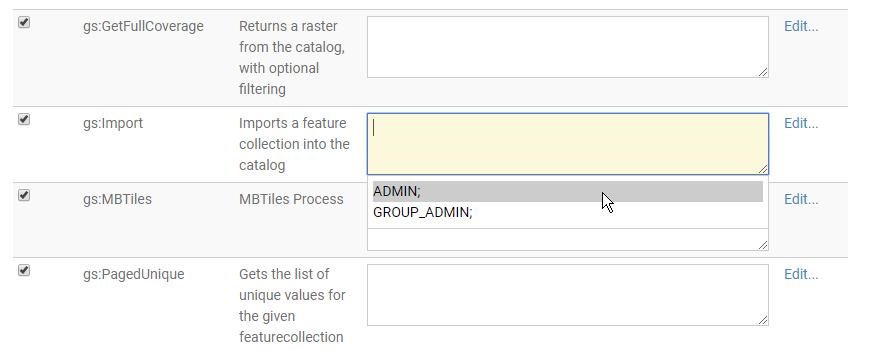
-
Do the same for the
gs:StoreCoverageprocess. -
Click the Done button to save your changes.