Master password warning
GeoServer uses a master password used to safely store security certificates. Several security warnings are associated with the master password, as a settings allows this password be used to login as the root user.
Required:
-
When upgrading you may receive a warning to change the master password from a historical default.
-
When setting up GeoServer for the first time removing the generated
masterpw.infofile to address security warning
Reference:
Remove master password has not been changed from the default warning
-
When upgrading an early
GEOSERVER_DATA_DIRECTORYsetup you will be asked replace the default master password.The master password for this server has not been changed from the default. It is highly recommended that you change it now.
Click Change it link to open the Change Master Password page.
 Change master password warning
 -
Change the master password using:
Current password geoserverNew Password New password definition. Master password policy requires at least eight characters. Confirmation Retype your new password 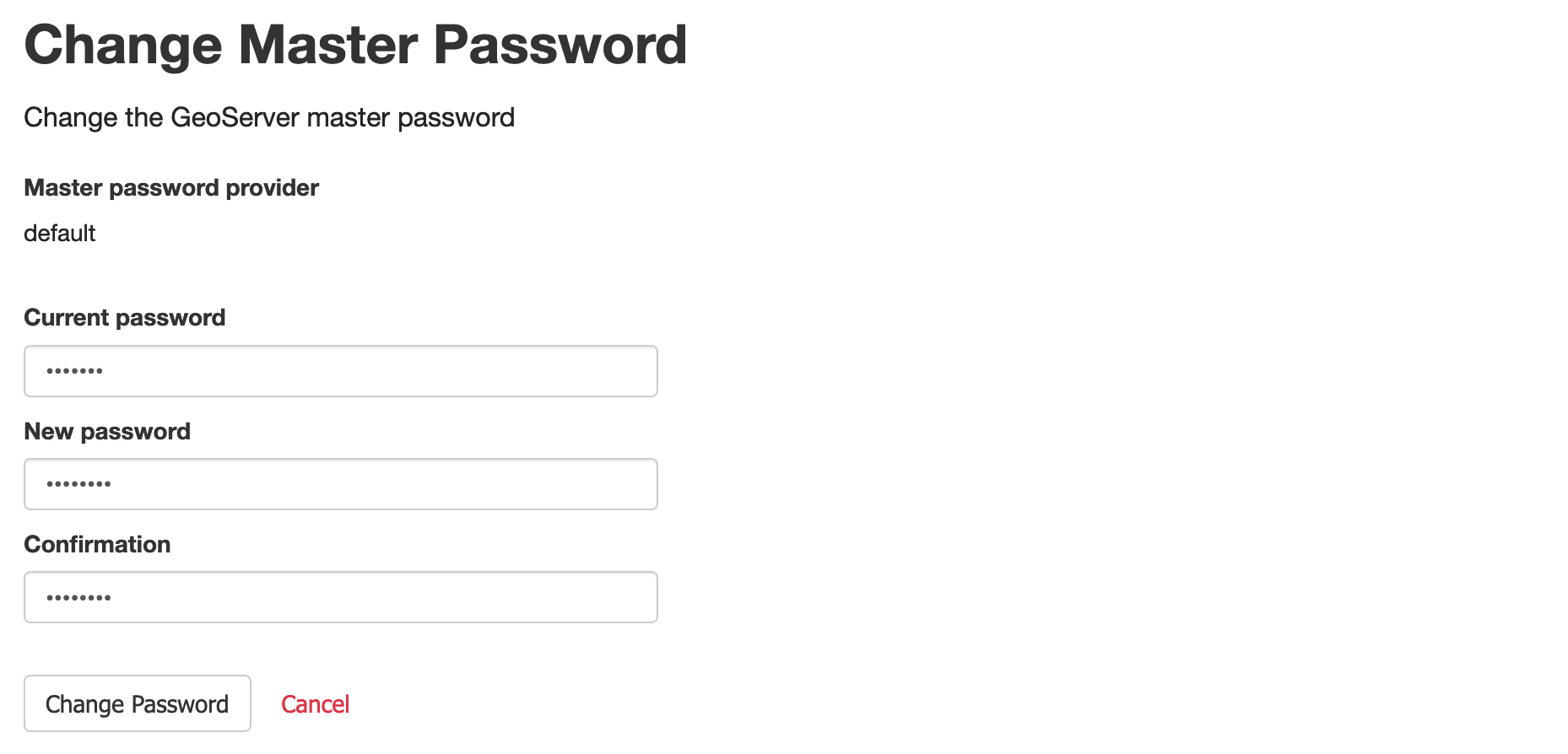 Change master password
 -
Press Change Password to set the new master password.
Remove masterpw.info warning
When the GEOSERVER_DATA_DIR/security folder is created a masterpw.info is created for your referemce.
To remove the masterpw.info file:
-
The Welcome page displays the following warning to administrators:
Please read the file security/masterpw.info and remove it afterwards. This file is a security risk.
 masterpw.info warning
 -
Navigate to Tools page, and open Resource browser.
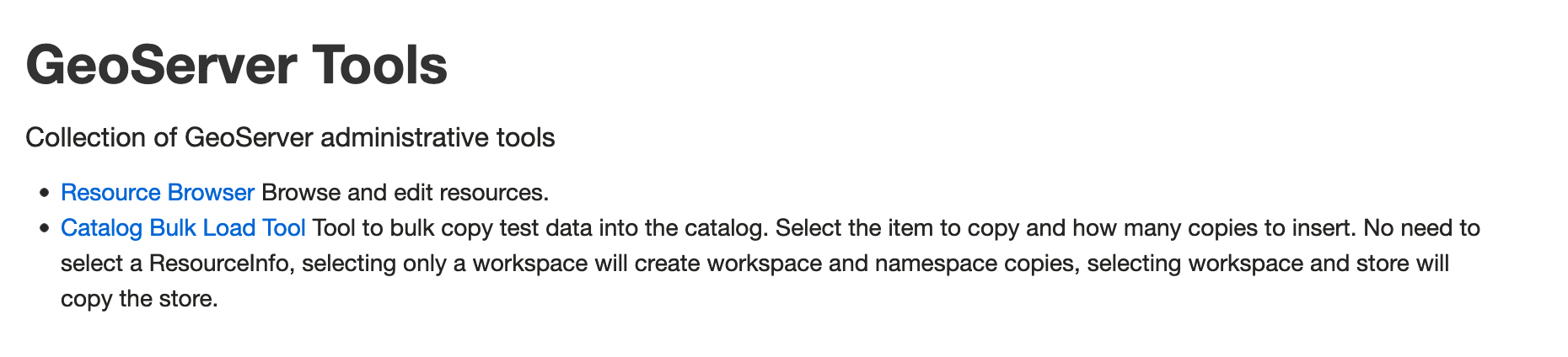 Tools page
 -
Select
security/master.pw.infoand Edit to view the contents of the file.Make a note of this password for your records.
The contents are generated when the
securityfolder is created, so your password will be different from the one shown below.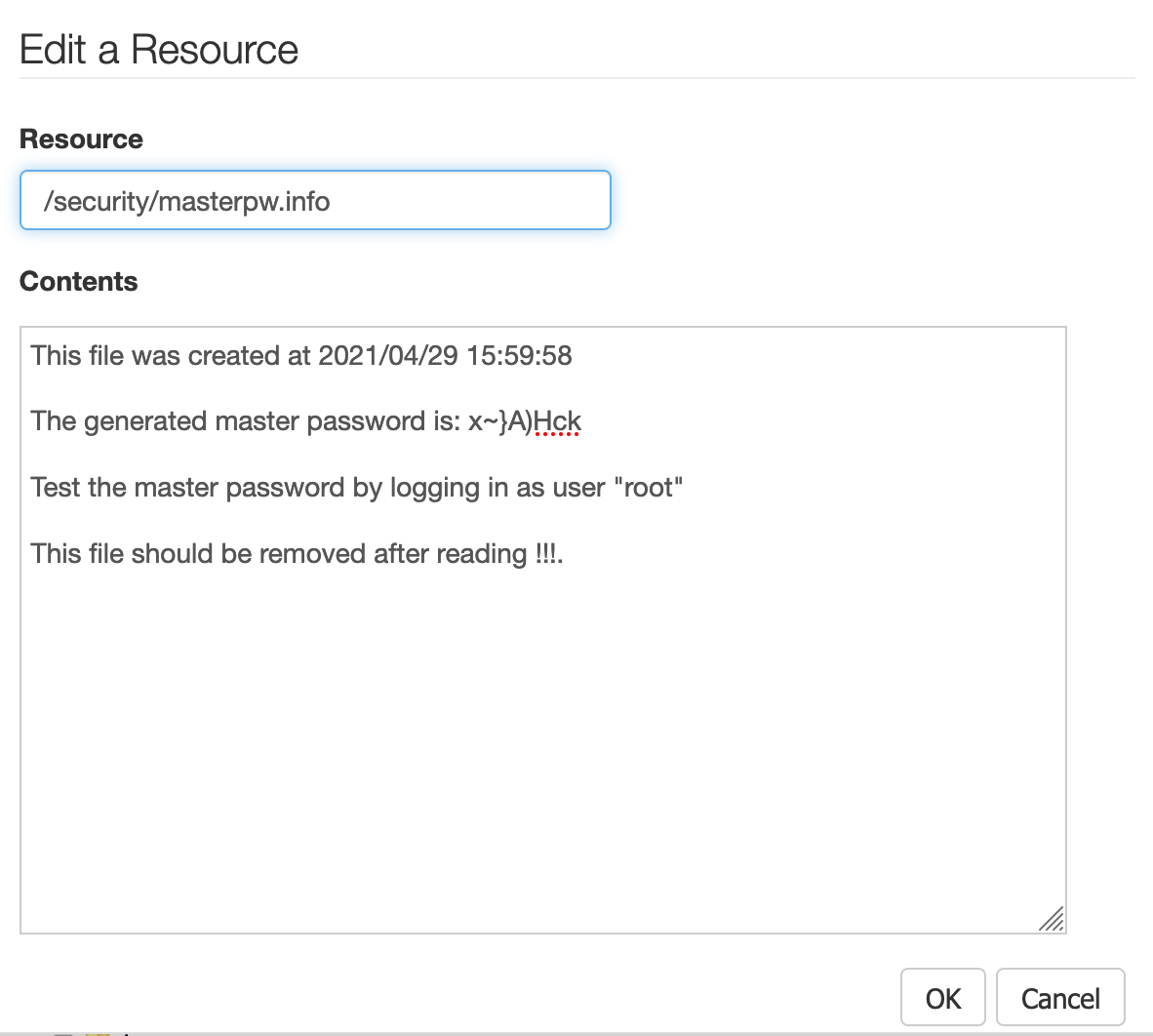 Edit master.pw.info file
 -
Select
security/master.pw.infoand Delete to remove the file and address the warning on the welcome screen.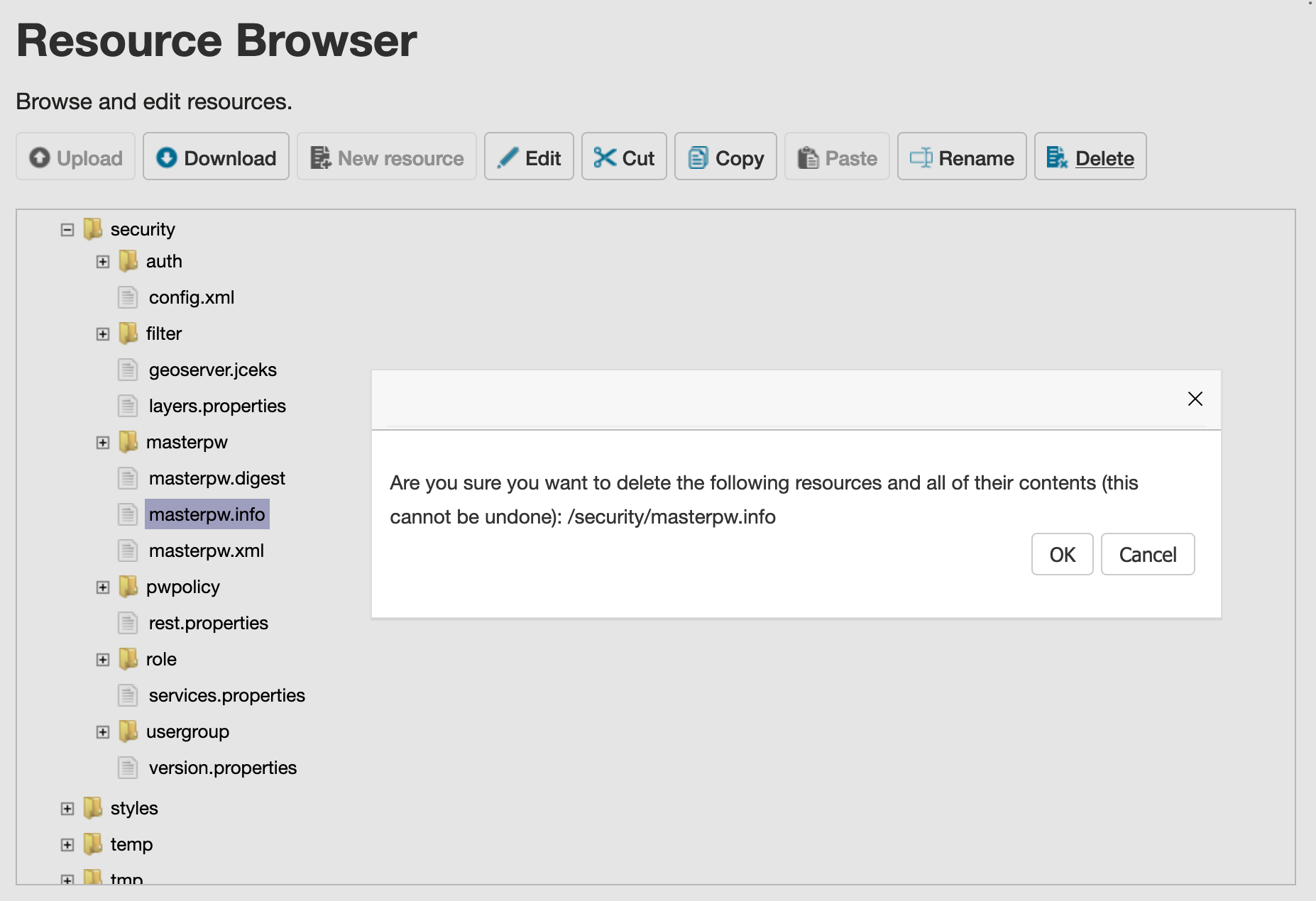 Delete master.pw.info file